
Keycap Guide
Decoding the Mechanical Keyboard: What is a Keycap? (The Ultimate Beginner’s Guide)
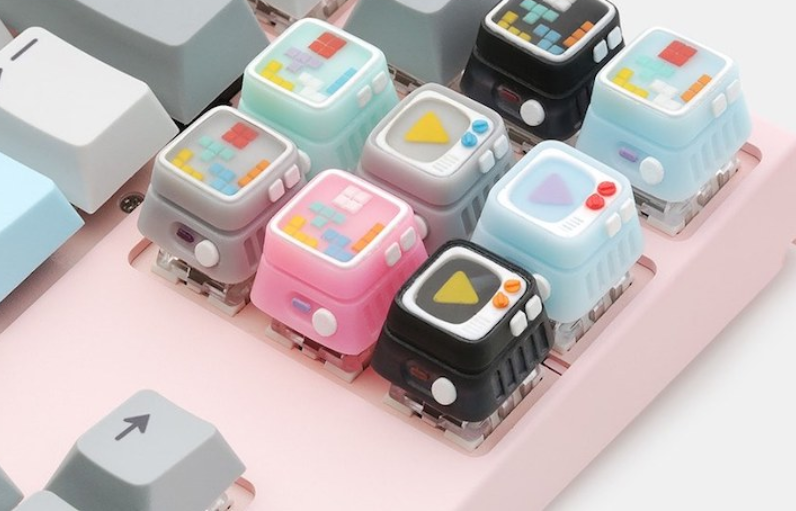
Have you just bought a mechanical keyboard and started hearing the term “keycap” but aren’t exactly sure what it is? Or are you looking to upgrade the feel and aesthetics of your beloved keyboard but worry about choosing the wrong size or material? You are not alone! This article will help you completely demystify what is a keycap—from its definition, detailed structure, to various materials and sizes (keycap size chart) so you can confidently select and upgrade your keyboard without fear of making a mistake.
What is a Keycap? (Definition and Basic Function)
Keycap Definition
A keycap is the plastic or other material cap that covers the mechanical switch on a keyboard. It is the very first component your finger contacts when typing.
Detailed Definition: Keycaps display the character, number, or symbol (keycap legends) that help the user know which key to press. The keycap connects directly to the stem of the switch, transferring the force of your press to activate the input command.

Keycap’s Important Functions
Keycaps play a more important role than just “dressing up” the switch:
- Actuation Transmission: The keycap is the contact point that transfers the force from your finger down to the switch to register the command.
- Character Display: Helps users accurately identify the correct key. The durability of the character (such as the anti-fading doubleshot method) is crucial.
- Impact on Feel and Sound: The keycap’s thickness, material, and shape (keycap profile) determine the feel (textured, smooth, solid) and sound (deep, high-pitched) when typing.
Anatomy of a Keycap (Keycap Structure)
To fully understand the keycap structure, you need to grasp the following three main components. Knowing these parts of a keyboard keycap will greatly assist you in maintenance and replacement.
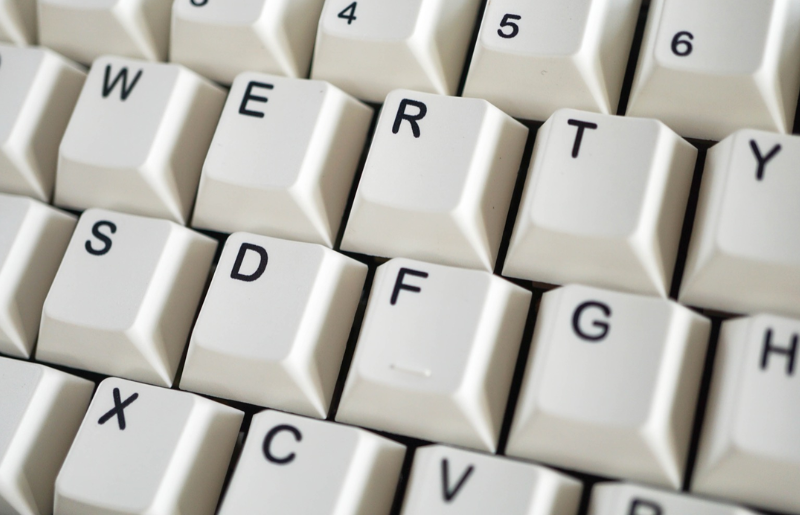
Surface and Printed Character (Legend / Printing)
This is where the letters, numbers, or symbols are displayed on the key. The quality of the keycap legends directly affects durability and aesthetics.
Common Printing Methods:
- Doubleshot: Two layers of different colored plastic are molded together. This is the most durable method; the legend will never fade.
- Dye-sublimation (Dye-sub): Ink is dyed deep into the plastic. It’s durable but typically only works with PBT keycaps and lighter colors.
- Laser Etching: Laser-engraved onto the surface. The legend can wear off over time.
Keycap Body
The keycap body determines the overall thickness and material.
- Thickness: Thick keycaps (usually $> 1.4 \text{mm}$) produce a deeper, more solid typing sound. Thin keycaps (usually $< 1.2 \text{mm}$) result in a higher-pitched, more “clackier” sound.
- Material: The most common are ABS and PBT (to be analyzed in detail later).
Stem
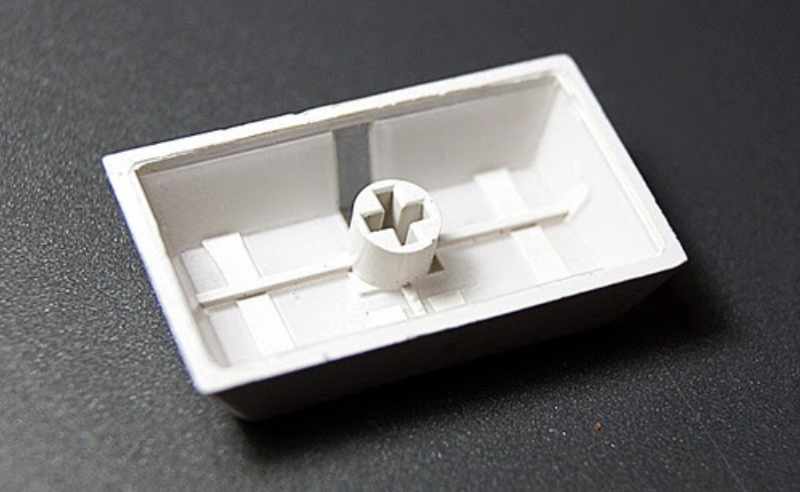
The stem is the part used to connect the keycap to the keyboard’s switch.
- Shape: The most common shape is the plus sign “+” (also known as the Cherry MX Stem), compatible with the majority of switches on the market like Cherry, Gateron, and Kailh.
- Compatibility: You always need to check the compatibility chart to ensure the keycap’s stem matches the type of switch you are using.
Why Keycaps Matter in the Typing Experience
Key takeaway: Keycaps are not just a “decoration” but are a core factor that shapes the typing experience. Keycaps are an essential part of mechanical keyboard basics.
The most noticeable difference comes from the choice of material. The two most popular materials are ABS and PBT:
| Criteria | Keycap ABS | Keycap PBT |
| Cost | Cheaper, easier to manufacture. | More expensive, complex manufacturing process. |
| Surface | Thinner, smoother, prone to developing shine over time. | Thicker, textured/matte surface, excellent wear resistance. |
| Typing Sound | Usually produces a higher-pitched, “clacky” sound. | Produces a deeper, “thocky” or more muted sound. |
| Durability | Less durable, prone to yellowing (with light colors). | High durability, excellent resistance to wear/shine. |
Keycap Size Chart & Layouts
One of the biggest mistakes beginners make is buying keycaps in the wrong size. To choose correctly, you need to understand the U unit and key layouts.
Basic Sizing (Measured in U units)
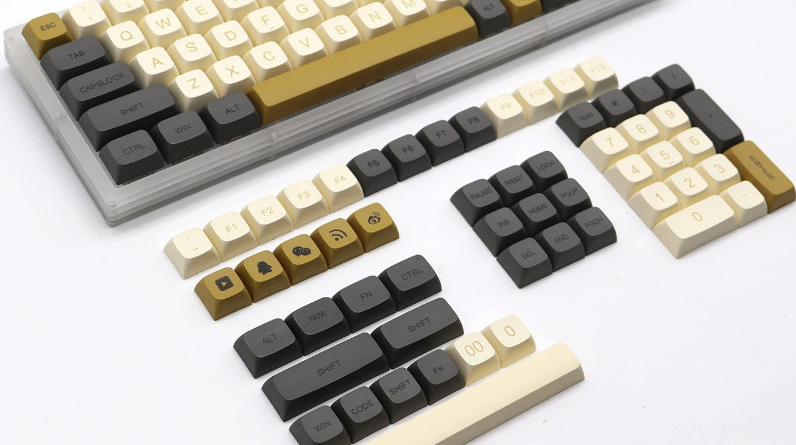
- 1U: The standard width unit for letter keys, numbers, or basic function keys (e.g., A, S, D, F1, 5, etc.).
- Special Keys: Keys like Enter, Spacebar, Shift, and Tab are larger, typically odd/even multiples of U (e.g., Left Shift is often 2.25U, Spacebar is 6.25U).
Distinguishing Common Layouts
The keyboard layout determines the size of the special keys.
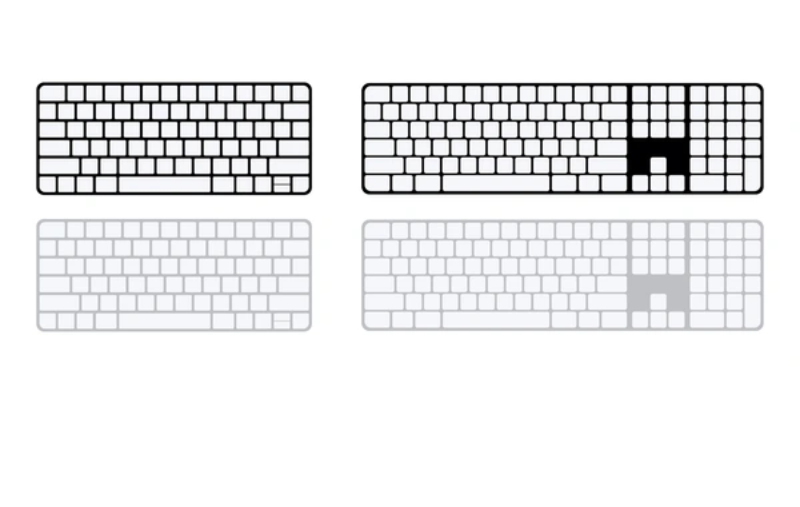
- ANSI (American National Standards Institute): Most common in the US and Vietnam. Horizontal rectangular Enter key, long Left Shift (2.25U).
- ISO (International Organization for Standardization): Common in Europe. Inverted “L” shaped Enter key, shorter Left Shift (1.25U) with an extra Backslash key nearby.
How to Check Keycap Size Before Buying
Before purchasing, check the keycap size chart and the layout of your current keyboard:
- Measure Directly: Use a ruler to measure the width of the special keys.
- Check Layout Online: Search for your keyboard’s name + “layout chart” for detailed sizes (e.g., 60%, 65%, Full-size).
- Bottom Row: This row is the easiest to confuse. Most standard keyboards use 1.25U (Ctrl, Alt, Win) + 6.25U (Spacebar).
Keycap Classification by Material and Profile
Keycap profiles (shapes) are the factor that determines the overall typing feel and sound.
Classification by Material
In addition to the aforementioned ABS and PBT, there are more premium materials:
- POM (Polyoxymethylene): Has a very smooth surface, creating a distinctive gliding feel, often resulting in a deep sound.
- PC (Polycarbonate): Primarily used for backlit keycaps (transparent), often mixed with ABS/PBT.
Classification by Profile (Surface Shape)
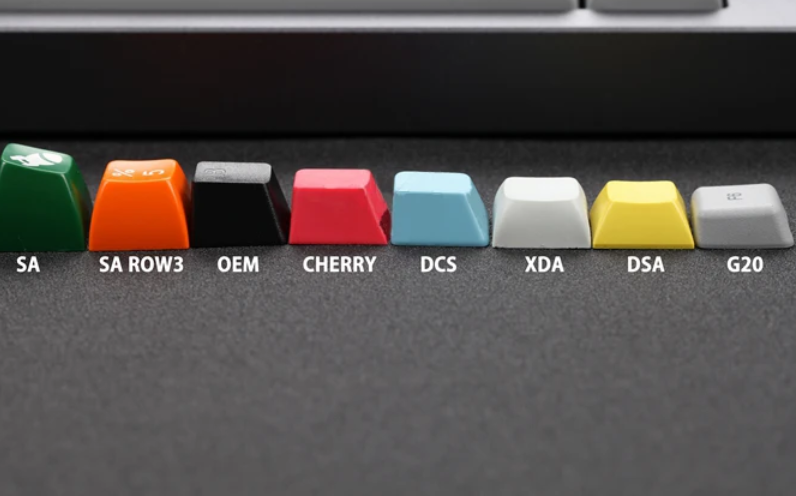
The profile indicates the height and surface shape of the keycap. The profile affects typing comfort and sound.
| Profile | Characteristics | Best for |
| OEM | Most common, slight curve, medium height. | Beginners, daily typing use. |
| Cherry | Lower than OEM, better curvature. | Fast typing, users who prefer comfortable typing feel, reduced hand fatigue. |
| SA / DSA / XDA | Distinct profiles. SA (tall, retro, unique sound). DSA / XDA (low, uniform height across all rows). | Retro aesthetics, people who like a “thocky” sound and fingertip typing. |
Frequently Asked Questions (FAQ)
Are keycaps compatible with all switches?
Keycaps are primarily compatible with switches that have the Cherry MX Stem (plus sign “+”). Rarer switches like Topre, Alps, or optical switches require specially designed keycaps. Always check the stem shape.
Should I choose ABS or PBT keycaps for a mechanical keyboard?
If you prioritize lower cost and vibrant colors, choose ABS. If you prioritize durability, anti-shine properties, and want a deeper, more solid typing sound, choose PBT.
How is the Cherry keycap profile different from OEM?
The Cherry Profile is significantly lower than OEM and has a more comfortable slope (angle). Many professional users prefer Cherry because it reduces wrist fatigue and offers a more secure, faster typing feel.
Keycaps are a crucial, indispensable component that greatly influences the overall mechanical keyboard experience. From displaying keycap legends to shaping the sound and feel, understanding what is a keycap and factors like material (ABS vs PBT), structure (keycap structure), and profile is the key to achieving your perfect keyboard setup.